The browser for life after Arc.
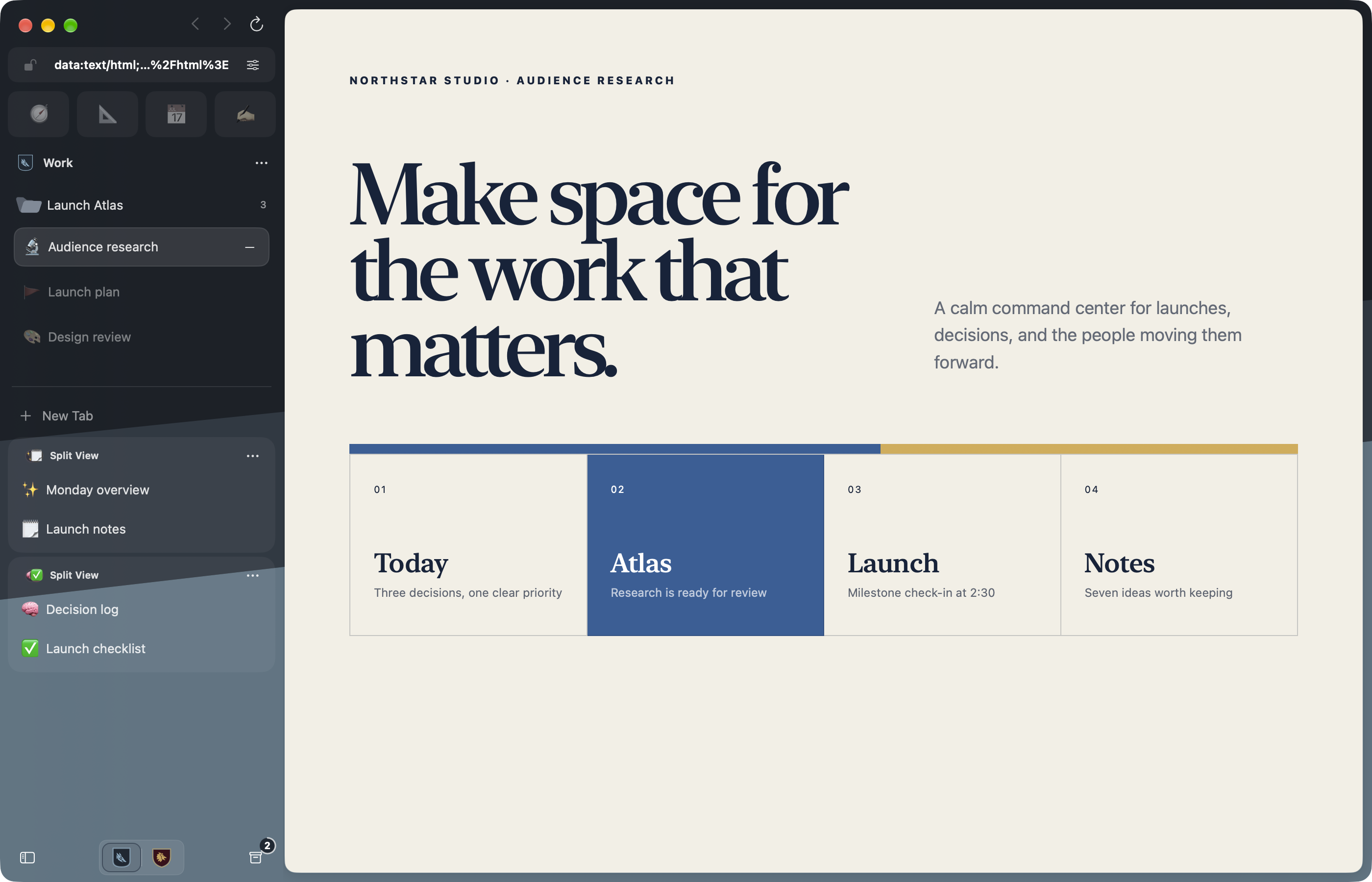
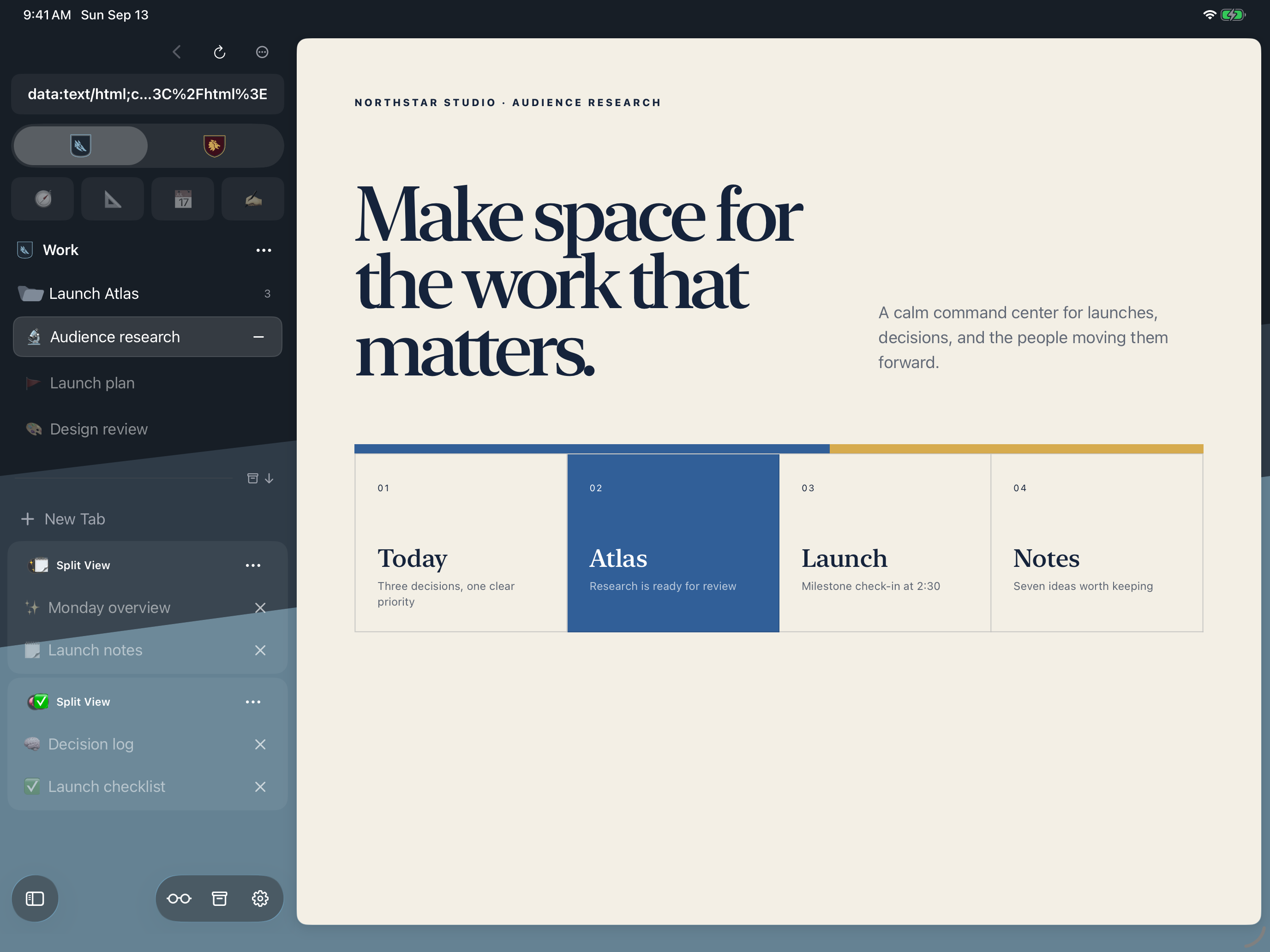
Spaces, a calm sidebar, Peek, and Split View. Native on Mac, iPad, and iPhone. Made by an Arc diehard.

Early Access, Security Not Audited Independently. MPL 2.0 · Not affiliated with Arc.
Make it yours
Crest Studio and Look and Feel.
Start with a crest template, customize each Space’s appearance, and adjust the sidebar, tabs, and window controls.
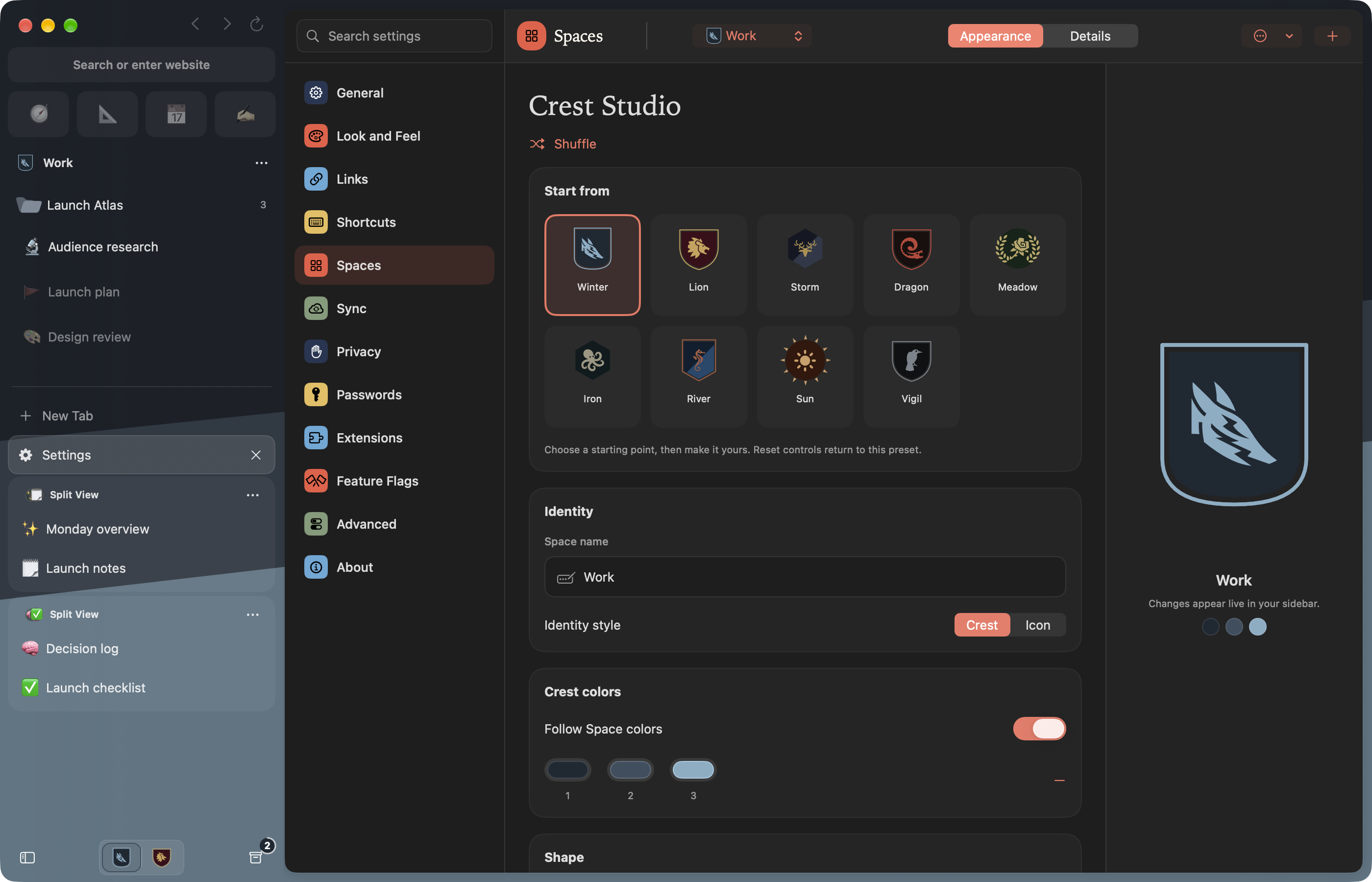
Crest Studio
Start with a crest template.
Start with a template. Find your shape, heraldic artwork, pattern, and palette. Give every detail its own color, or choose an emoji, monogram, or SF Symbol.
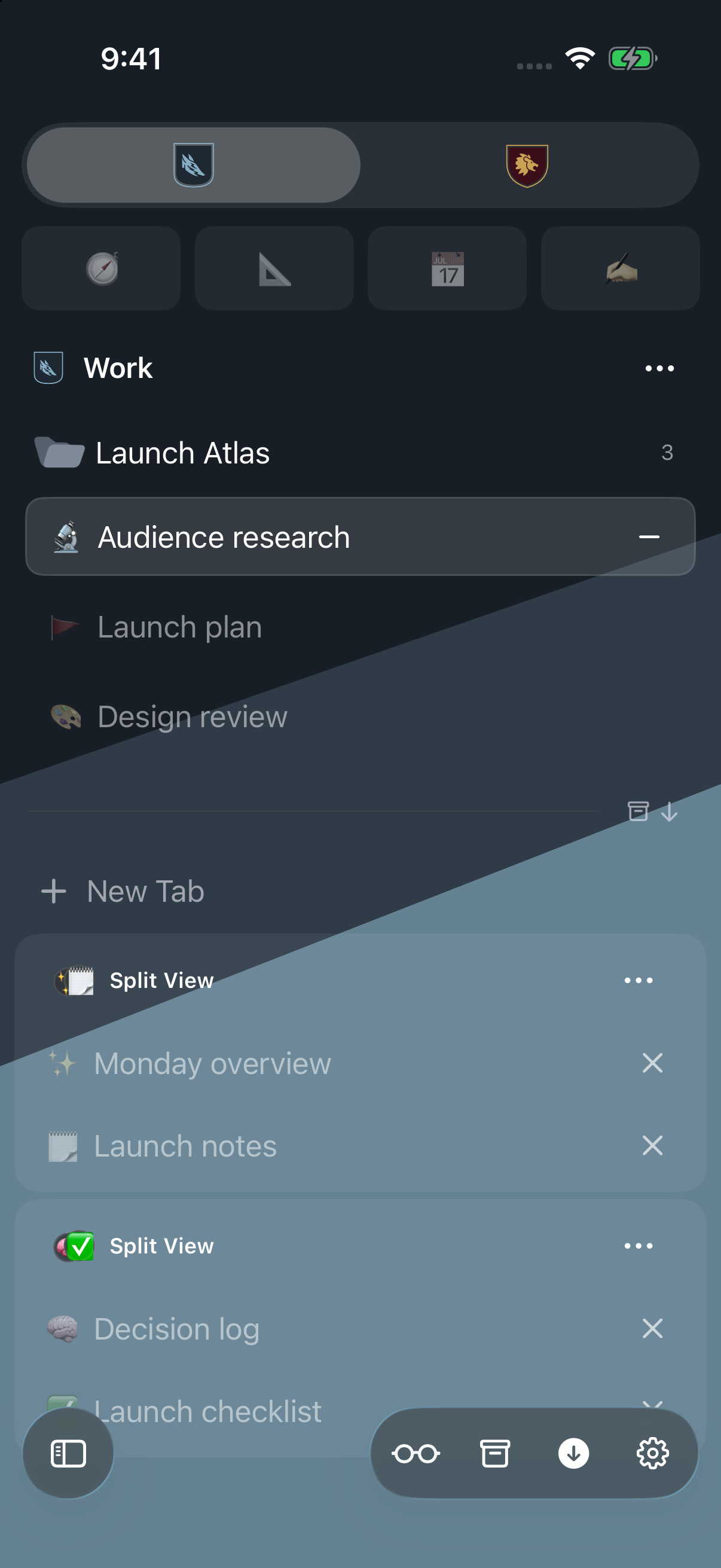
Carry that identity through the sidebar and Space picker on Mac, iPad, and iPhone. A quiet gradient is an option, too.
Design your Space →
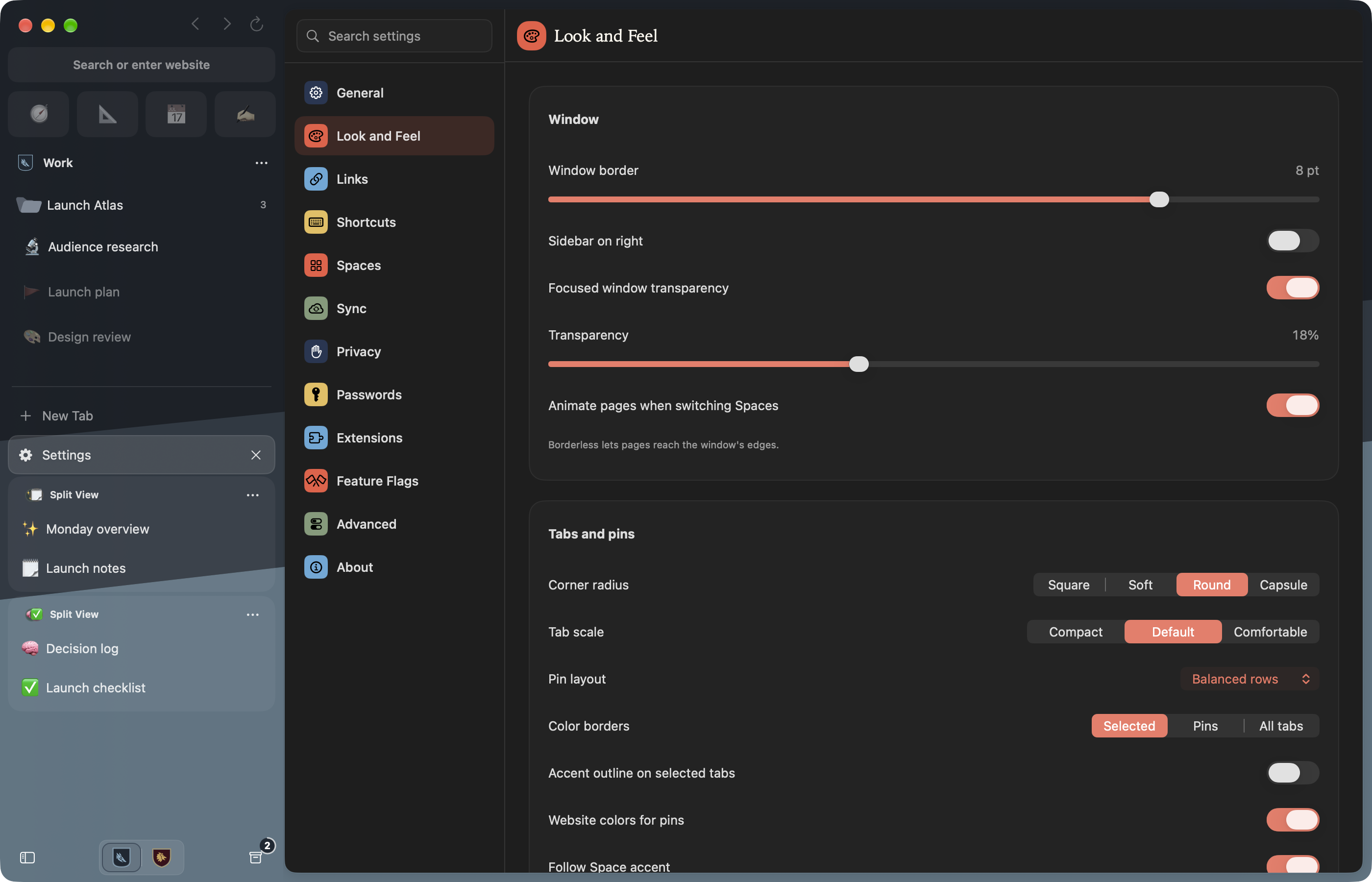
Look and Feel
Customize the sidebar and tabs.
Dock it on either side. Go borderless. Tune tab shape, size, pin layout, and address-field colors. Choose an app icon palette that feels at home on your device.
Start from a preset, adjust with a live preview, and reset any setting on its own. Folder colors and custom icons give each project a place.
Look and Feel settings →Learning your way around? Practice tabs, pins, folders, and more in the interactive Getting Started tab.
Explore the guides →Why it's called Crest
Every Space flies its own colors.
A crest is the mark a house puts on its banner, so you know whose hall you are standing in before anyone says a word. Crest borrows the idea. Each Space has a crest and a palette, and the sidebar wears them. One glance tells you this is Work, not Personal, before you read a tab or type a password. Fold that sidebar into a flag and you have the app icon.
Coming from Arc
If you used Arc, you already know how this works.
The same jobs, mostly the same names. The tour above covers the big ones; this is everything else.
The full list: what Arc called it, and what Crest calls it
| The job | Arc | Crest |
|---|---|---|
| Separate contexts | Spaces + Profiles | Spaces with isolated profilesSessions, history, passwords, extensions, permissions, and site data stay apart. |
| Browser structure | Sidebar | Adaptive sidebarFull on Mac and iPad; a dedicated, touch-native view on iPhone. |
| Always-close sites | Favorites | Pinned sitesA fast icon grid scoped deliberately to each Space. |
| Durable pages | Pinned Tabs | Saved tabsKeep a home URL, wander away, then return to the saved location. |
| Projects and nesting | Folders | Saved foldersNest, color, and choose icons. Select tabs and folders together, then organize them in one move. |
| Fast navigation | Command Bar | Command paletteSearch the web, current-Space tabs and history, and Crest commands. |
| Automatic link routing | Air Traffic Control | Link RoutingSend exact URLs or matching domains to the right Space before the default route. |
| Multiple pages at once | Split View | Split ViewTwo to four live cards, resizable on Mac and iPad and paged on iPhone. |
| Temporary link preview | Peek | PeekPreview above the source page, or drag a link into Peek on Mac. Close it or keep it as a tab. |
| External-link triage | Little Arc | Quick WindowOpen small, choose the right Space, and keep only what matters. |
| Automatic cleanup | Auto Archive | Space cleanup + ArchiveChoose 12 hours through 30 days, or turn cleanup off; every result stays recoverable. |
| Recently used switching | Recent Tab Switcher | Most Recent TabUse Control-Tab to move straight back to the tab you just left. |
| Personal key map | Custom Keyboard Shortcuts | Rebindable ShortcutsSearch, record, reset, and resolve conflicts for the complete Mac command set. |
| Developer context | Developer Mode | Developer toolsViewport previews, capture, console, network, and Web Inspector. Automatic on localhost, available on any site. |
| Per-site control | Site Control Center | Site ControlsReader, blocking, permissions, extension actions, and page tools in context. |
| Browser add-ons | Extensions | Per-Space extensionsCompatible Chrome, Firefox, and Safari Web Extensions on Mac, including popups and side panels. |
| Private browsing | Incognito | Private SpacesNon-persistent browsing with optional device authentication and foreground relocking. |
| Appearance | Space Themes | Crest Studio + gradientsBuild a full crest or keep the familiar blended-color atmosphere. |
| Shared organization | Arc Sync | iCloud syncSpaces, tabs, folders, split groups, appearance, and durable state across Apple devices. |
| Browser library | Library | History, Archive + DownloadsCommon lists remain easy to reach while their records stay scoped by Space. |
| Move-in flow | Import from Another Browser | Review-first migrationBring over supported data from Arc, Zen, Chrome, Safari, and Firefox on Mac. |
This matrix covers the Arc features Crest implements today. It is not a claim that the two browsers share code or identical internals. Crest is independent and not affiliated with Arc.
Mac, iPad, iPhone
Your Spaces, at home on every Apple device.


Mac. A sidebar on either edge, two-to-four-card Split View, drag-to-Peek, Quick Window, extensions and side panels, and developer viewport previews. Direct releases with Sparkle updates.
iPad. A sidebar beside the page, resizable Split View columns, multi-selection, on-device translation, and hardware-keyboard commands. Customize your Spaces and browsing layout with the same appearance tools.
iPhone. Compact chrome keeps the page primary. Swipe in the sidebar from your chosen edge, organize tabs and folders, translate pages, and preview links with native touch menus. Split View becomes a focused card pager.
Turn on Sync Crest with iCloud and Spaces, tabs, saved folders, Split View groups, appearance, Archive, and history follow you between devices. Password values never enter CloudKit.
Move in without starting over
Bring over the browser you already have.
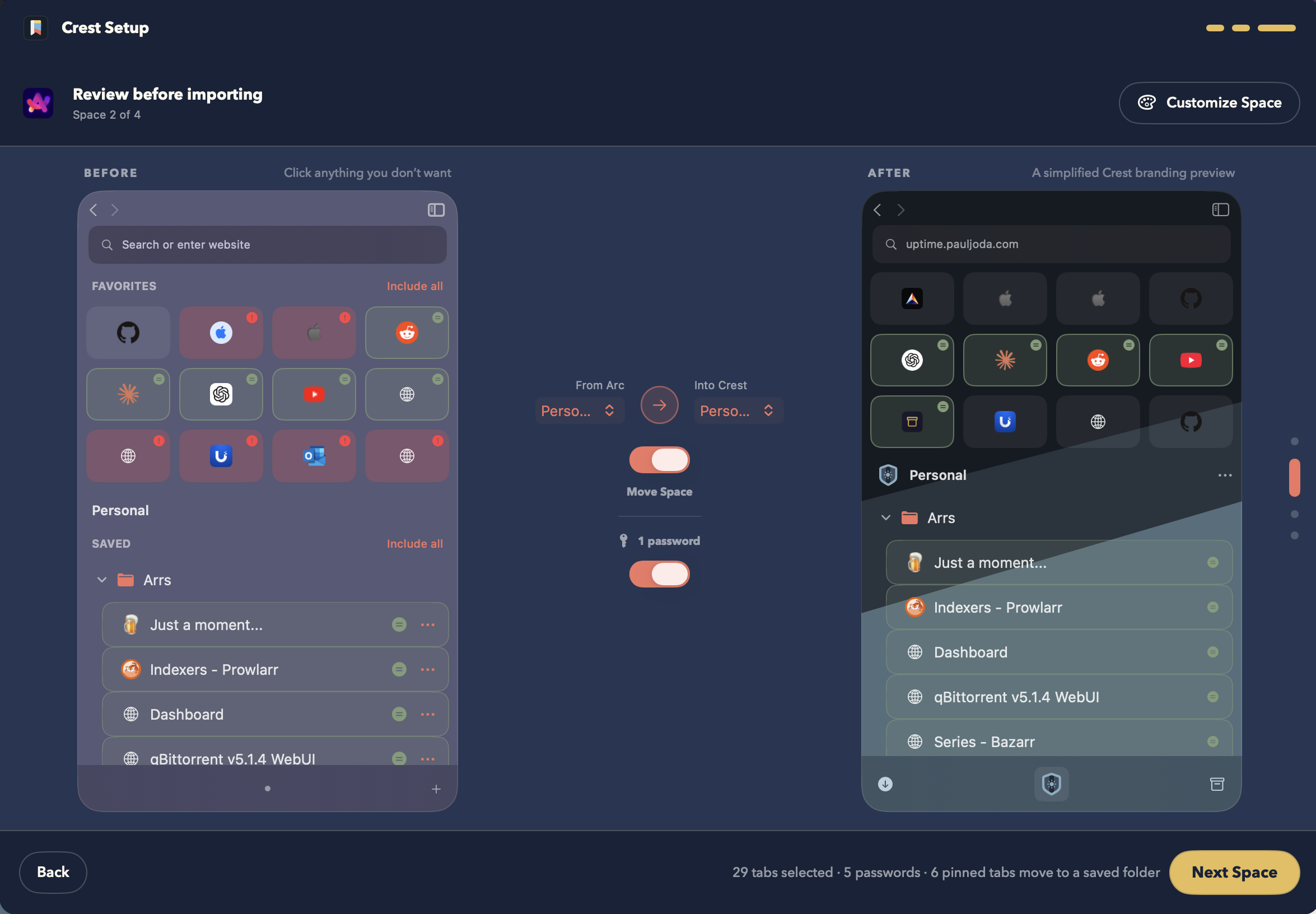
Start on Mac. Crest finds supported browsers and shows you a before and after for every Space. Nothing moves until you say so.

- Keep only what matters. Turn individual tabs, favorites, and saved folders on or off.
- Choose where it lands. A new Crest Space, or one you already use.
- Make it yours. Rename it and pick its colors and crest before you finish.
The rest of the browser
Good tools, right where you need them.
Read, translate, organize, and build. Everyday tools stay close to the page, and each Space keeps its own browsing context.
Install from the Chrome Web Store and Firefox Add-ons, or use compatible Safari Web Extensions from signed apps on your Mac. Use compatible popups, Chrome side panels, and Firefox sidebars. Each Space keeps its own installations, access choices, and sessions. Compatibility varies by extension.
Origin- and Space-matched credentials in the Keychain, with device authentication around sensitive access.
Non-persistent website storage, no normal history, no sync trail. Require Touch ID, Face ID, or the passcode to open one, and relock it when Crest leaves the foreground.
A small built-in ad and tracker list per Space, or a compatible blocking extension on Mac.
Remember or reset decisions for protected capabilities, popups, downloads, and external-app handoff per site and Space.
Read webpages in your preferred language on Mac, iPad, and iPhone. Detect the source language, optionally translate automatically, and return to the original text. Supported languages may need an Apple download. Translate and read.
Turn supported articles into a focused reading surface. Set a comfortable default page zoom from 25% to 500%.
Control eligible active media from the sidebar’s Now Playing widget. On Mac, keep supported videos visible with Picture in Picture and optional automatic PiP.
Select tabs, Split Views, and folders together. Move a project, tidy a group of pages, or give folders their own colors, symbols, and emoji. Available on Mac, iPad, and iPhone. Make room in the sidebar.
Preview phone, desktop, or custom viewport sizes. Capture a page, inspect elements, and open Console or Network. Automatic on localhost; Shift-Command-I brings the toolbar to any site. Explore developer tools.
Rebind the complete command map, search actions, spot conflicts, and return any command to its default.
Archive unpinned tabs after 12 hours, 24 hours, 7 days, or 30 days, or never. Cleanup moves tabs to the recoverable Archive; it does not erase them.
Find, zoom, copy a normal or Markdown link, share, print, export PDF, and save a web archive. On iPhone and iPad, use native image menus and upload from Photos, camera, or Files.
Protect important live pages from ordinary unloading while Crest still responds to real memory pressure.
SwiftUI, WebKit, CloudKit, Keychain, native windows, menus, share sheets, and platform authentication.
Get Crest
Direct on Mac. App Store on iPhone and iPad.
Mac releases are signed, notarized, and distributed directly through GitHub Releases with built-in Sparkle updates. iPhone and iPad are on the App Store, with beta releases in TestFlight.
Crest for MacDirect · signed · notarized · automatic updatesView releases ↗
Crest for iPhone and iPadApp StoreOpen ↗
Crest beta for iPhone and iPadBeta releases through TestFlightJoin ↗Source on GitHubMozilla Public License 2.0 · issues · pull requestsOpen ↗
r/CrestBrowserFeedback · updates · communityVisit ↗